Visible sharing
While sharing is on, a sign is always on screen; one tap turns it off and deletes your last location.
 TaifinTawaf & Umrah Guide
Tawaf & Umrah Guide
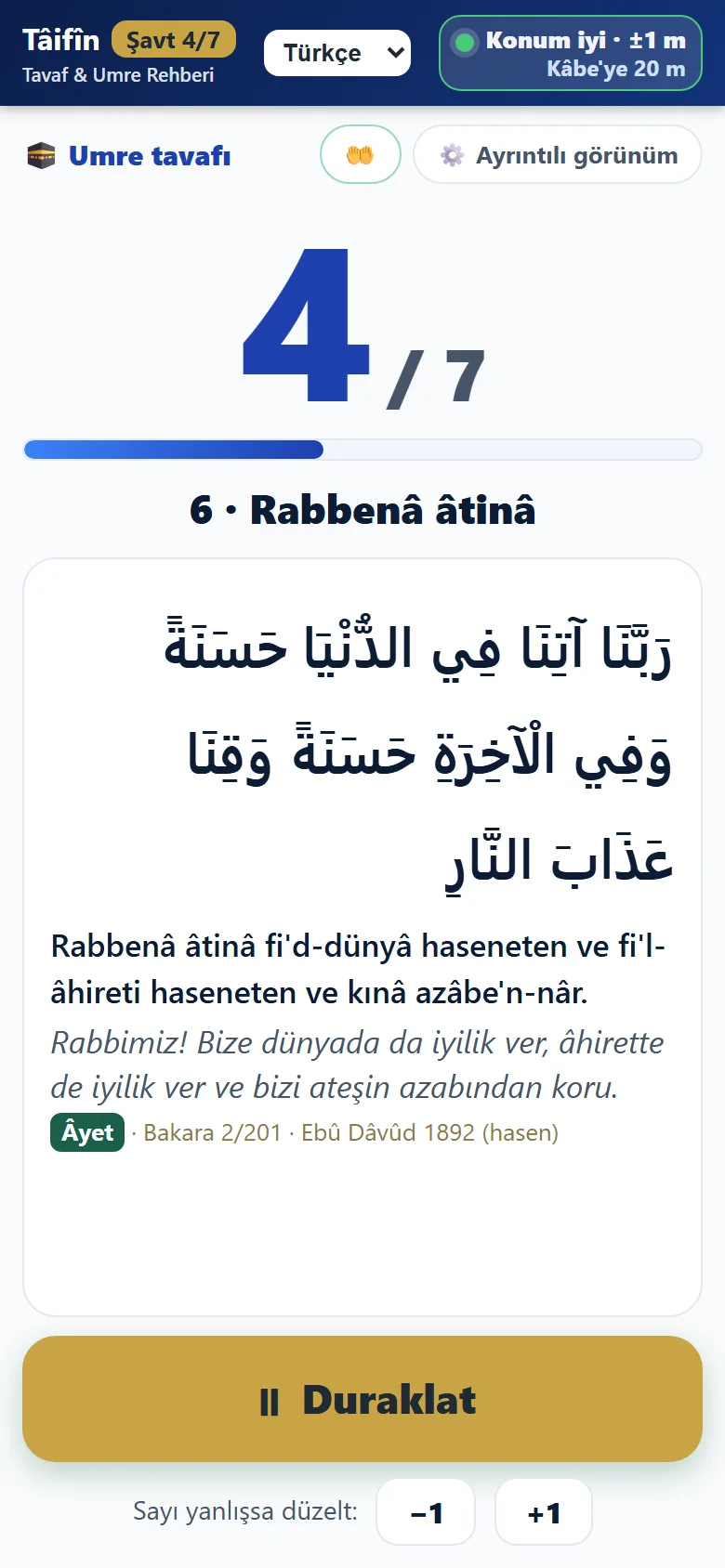
Taifin finds where you are around the Kaaba, shows what the Prophet ﷺ did and said at that spot with its source, and counts your rounds on its own.
Highlights
Your phone finds where you are around the Kaaba; the count goes up by itself after each round. You can focus on your worship instead of keeping count.
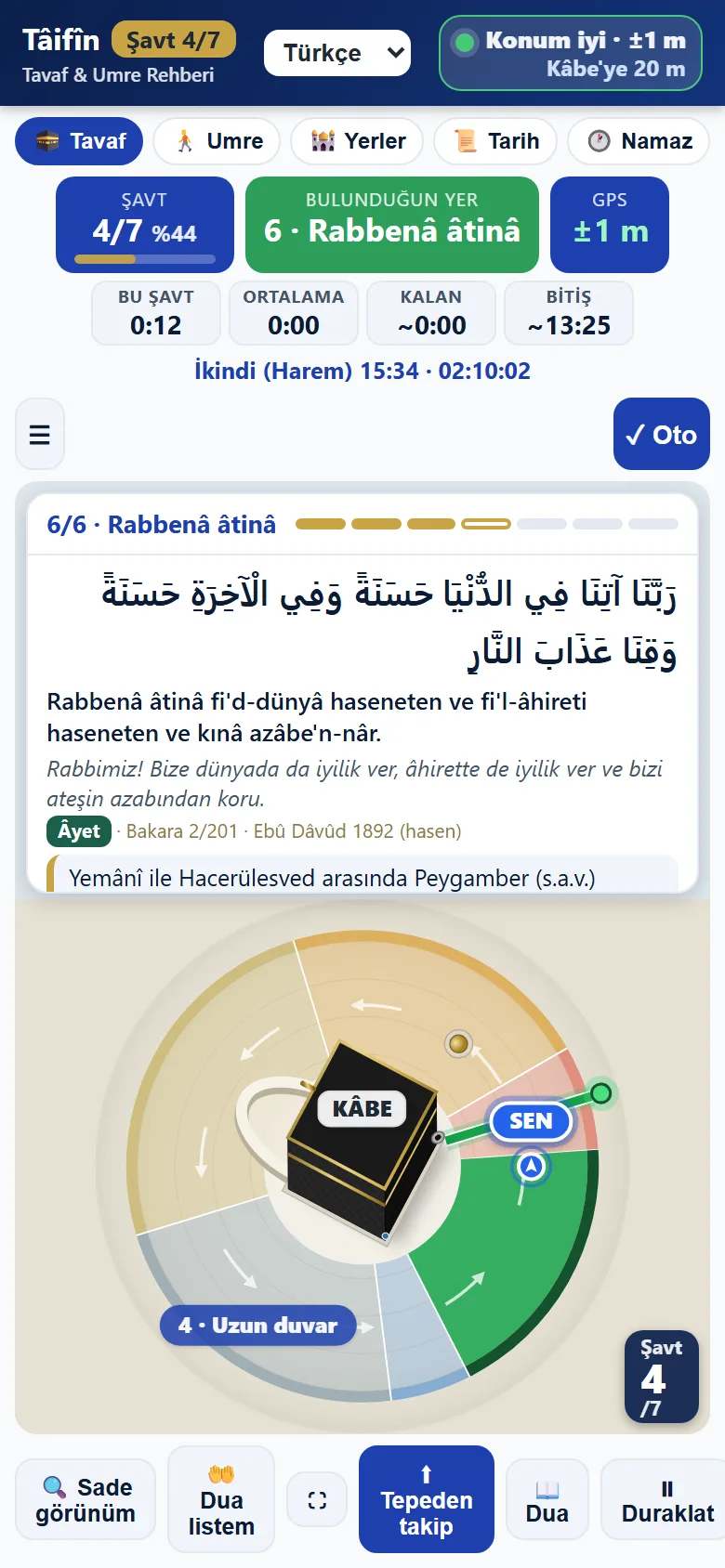
Shows what the Prophet ﷺ did and said at the spot where you are: the Arabic, its meaning and its source. Nothing uncertain is included.
رَبَّنَا آتِنَا فِي الدُّنْيَا حَسَنَةً وَفِي الْآخِرَةِ حَسَنَةً وَقِنَا عَذَابَ النَّارِ
Rabbenâ âtinâ fi'd-dünyâ haseneten ve fi'l-âhireti haseneten ve kınâ azâbe'n-nâr.
Our Lord, give us good in this world and good in the Hereafter, and protect us from the punishment of the Fire.
QuranAl-Baqarah 2:201 · Abu Dawud 1892 (hasan)
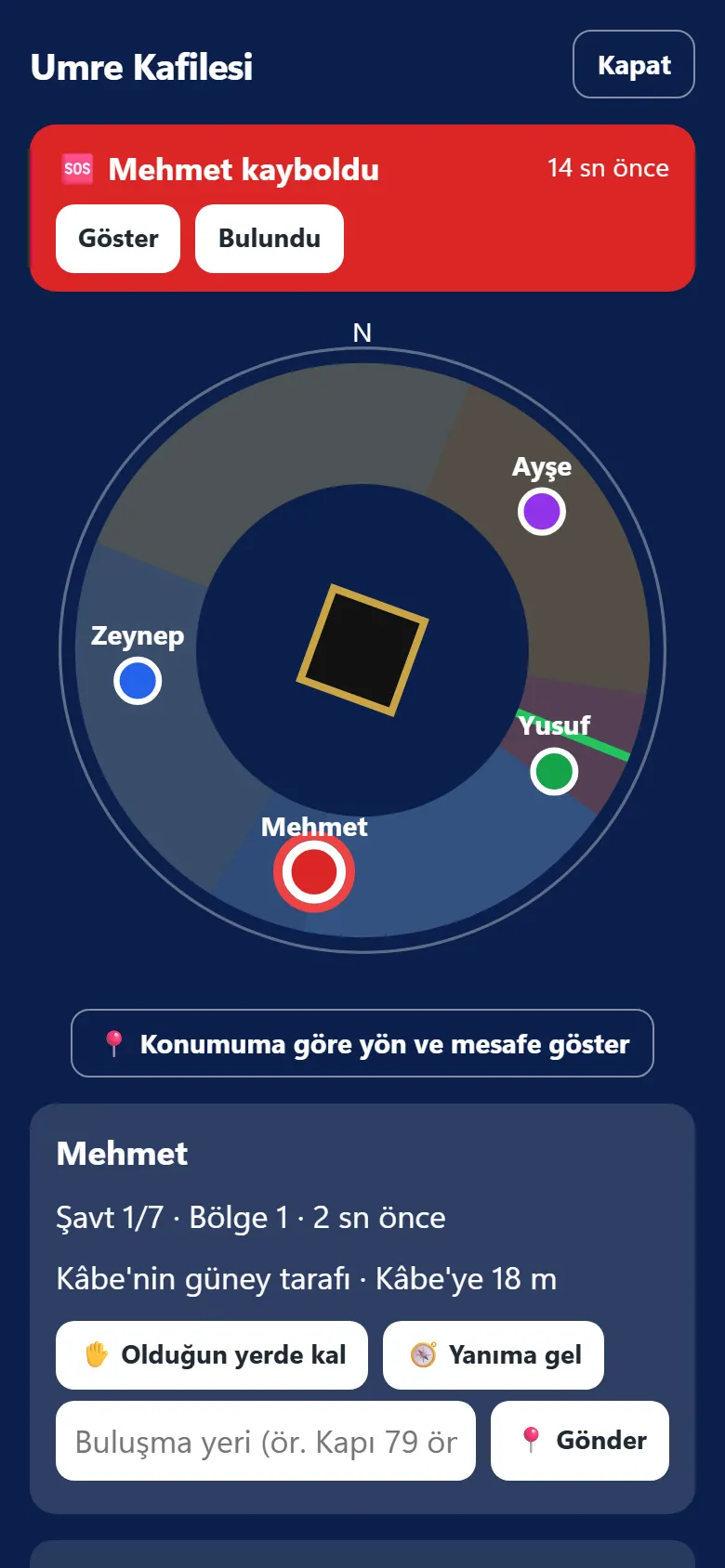
In a family group you see each other live around the Kaaba. If you get lost, one tap sends your location to your guide and your family.
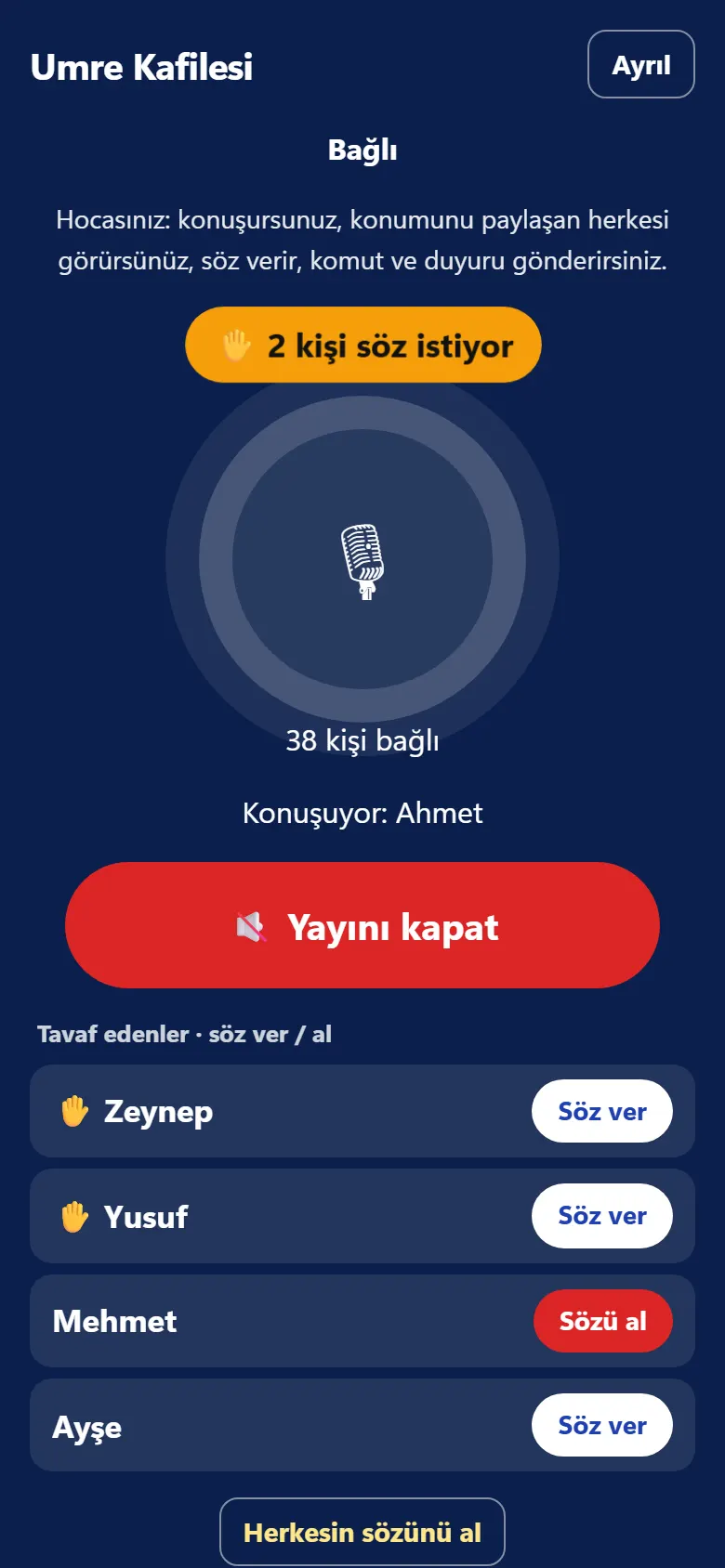
The guide recites and the group listens and repeats at the same time; the du'a being recited also appears on your screen. The guide can broadcast from anywhere.
How it works
Open it once at the hotel while you have internet. When asked about location, tap “Allow”.
When you reach the Black Stone line, tap “Start Tawaf”.
The count goes up by itself every round. The supplication to say appears on screen.
After the seventh round the screen says “Tawaf complete”.
For your whole Umrah
Security and privacy
While sharing is on, a sign is always on screen; one tap turns it off and deletes your last location.
Only group members can reach the call and the locations. Codes never collide and can be renewed; the old code stops working at once.
The Google account already on your phone is found automatically; sign in with one tap. Or use an email link.
Rate limits on code attempts, attack protection on the Cloudflare network and strict security headers.
Who speaks and who sees locations is checked on the server; changing the app does not bypass these rules. Non-members cannot join any call.
| Role | Speaks | Sees | Camera |
|---|---|---|---|
| Group tour | |||
| Guide | Yes | Everyone sharing their location | No |
| Pilgrim | When the guide gives the floor | The guide and the other pilgrims | No |
| Observer | No, listens only | Nobody | No |
| Family group | |||
| Every member | Yes | Every member sharing their location | Yes |
| Personal watch code | |||
| Code owner | Yes | The names of the watchers | Yes |
| Watcher | No, listens | Only the code owner | Watches the video |
The same person can be in a family and a group tour at once; each group’s rules apply only to that group.
Get the free Android app on Google Play; it keeps counting laps with the screen off.
Get the free iPhone app on the App Store.
Open the app → ⋮ menu at the top right → “Add to Home screen” or “Install app”.
Open the app → Share button → “Add to Home Screen”.

Instead of sending a link, show this code: anyone who scans it with their phone camera lands on the site and can get the app on Google Play or the App Store.
No. Open the site once and the app is saved on your phone. In the Haram, the counter, zones and supplications work without a network.
Inside the Haram, GPS can drift 20–50 metres. The counter is designed for this and stops by itself when you leave the tawaf area. Still keep track yourself and correct with +1 if needed.
The practices and supplications on the zone cards are based on the Quran and authentic hadith; each shows its source and grade. Hanafi fiqh notes are marked separately. The app does not issue fatwas; when in doubt, ask a scholar.
The tawaf counter, zones and supplications run only on your phone. If you sign up and join a group with a code, your location and tawaf status are shared with your family in a family group, or with your guide in a group tour, and stored on the server. Group-tour observers cannot see locations. You can turn sharing off at any time. Details are on the Privacy page.
Someone in your family creates a Family group and shares its single code on WhatsApp. In a family group everyone is equal: you see everyone who shares their location live around the Kaaba (which round, which zone), and everyone can talk. A group tour’s observer code is only for listening to the guide; it shows no locations.
On the membership page tap “Get my personal code” and send the code to your family on WhatsApp. People with the code see only you: your location, round and voice, and your camera video if you tap “Show my watchers” in the tawaf app. They do not see each other or your group; you can remove anyone or renew the code.
Press “I am lost” in the app and confirm. An alert and your location go to your guide and your family group; your screen shows the guide, phone and hotel to show to staff. Your guide can tell you “Stay where you are” or “Come to me”.
In a group tour you listen to the guide. To speak, tap “✋ Ask to speak”; when the guide gives you the floor, the “Hold to talk” button opens. The observer code is for listening only.
No. If a Google account is on your phone, it is offered automatically on the sign-in screen; one tap and you are in. Without Google, sign in with the link sent to your email. The tawaf counter needs no account at all.
In the web version location may stop when the screen turns off; keep it on during tawaf. The mobile app will not have this limit.
وَطَهِّرْ بَيْتِيَ لِلطَّائِفِينَ
“Purify My House for those who circle it” (al-Hajj 22:26). Taifin means “those who circle”; the guide part of the name is written in each language.
Our intention
إِنَّمَا الْأَعْمَالُ بِالنِّيَّاتِ، وَإِنَّمَا لِكُلِّ امْرِئٍ مَا نَوَى
“Actions are only by intentions, and every person will have only what they intended.”
Bukhari 1; Muslim 1907
Taifin was built, expecting nothing in return, so that every guest circling the Kaaba can turn to their worship with a settled heart. It is free, has no ad networks or hidden tracking, and is not for profit.
Please remember us in your prayers.